 All Yono
 New Yono Apps in India (2026): Check Review Status First
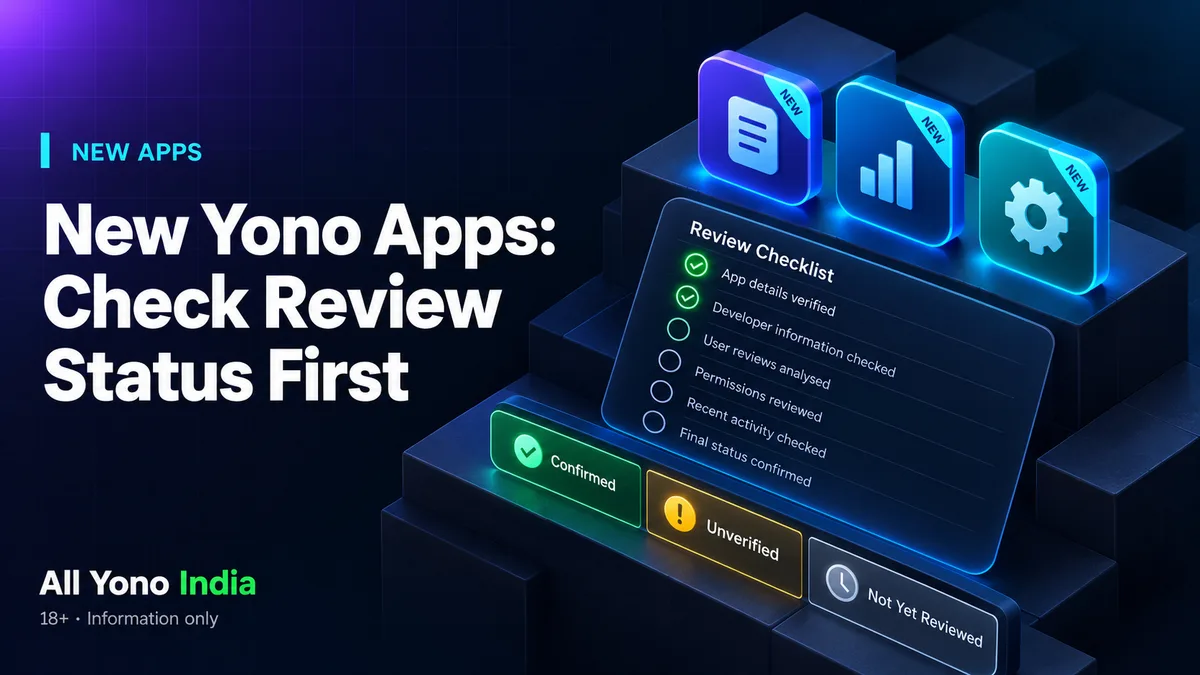
Short answer: New Yono-style apps appear constantly, but a new app is not a reviewed app. Before installing one, check six things: whether India availability is confirmed, who operates it, where the official file comes from, what payment methods it shows, whether KYC is documented, and whether any bonus is visible in the app.
Why "new" is not the same as "ready"
When people search "yono new app" or "new yono games," they want the latest releases. Download pages are happy to oblige, often listing an app within hours of a rumour. But a listing is not a review. A new app may have no verified operator, no confirmed availability and no documented terms. That is normal for a launch, and it is exactly when evidence is thinnest.
The six checks
Use these for any new app, from any site, including this one.
| Check | What to look for | Where to read more |
|---|---|---|
| India availability | Evidence the app is meant for users in India | What "available in India" means |
| Operator | A named company in terms and a working support reply | Status labels |
| Official file source | A source you can independently verify | Download link is not proof |
| Payment methods | What the app actually shows on its payment screen | Proof of UPI support |
| KYC | Documented identity checks before payout | Proof of KYC |
| Bonus | An offer visible in the app with terms | 51 bonus label |
If an app cannot pass at least the first three, it has not given you enough to go on.
How AllYonoIndia labels new launches
We use three labels:
- Confirmed. We have seen the evidence ourselves.
- Unverified. A claim exists but we have not seen proof.
- Not Yet Reviewed. We have not examined it.
A new app starts as Not Yet Reviewed. It moves only when we can see something. We would rather show a gap than fill it with a guess.
Examples of how a launch is documented
Our guides on Money Rummy, Gold Rummy and Win Rummy show the approach: what was announced, what was confirmed, what remains open. Read them as models of how a launch can be described without overstating anything. Check each page's own date, because launch status changes.
What changes after a launch
An app's status can shift: availability can change, an operator may be named or renamed, offers appear and expire, and download sources come and go. That is why a single list of "new apps" ages quickly. Prefer pages that show a last-checked date over pages that do not.
Red flags on "latest new apps" pages
- Every app has the same sentence and the same bonus figure
- No dates, or dates that are never updated
- Download buttons but no information about the operator
- Words such as "guaranteed" or "100% safe"
- No statement of how the page earns money
Before you install any new app
- Read its permissions. See the permissions guide.
- Do not deposit until you can identify the operator and find the terms.
- Do not upload identity documents until you know who will hold them.
- Note the version and source so you can compare later.
The full directory
For apps we have already described, start at our All Yono Games list. Treat anything not listed there as unreviewed.
A simple habit that helps
Keep a short note for any app you consider: the name, the package name, the version, the source and the date you checked. If something changes later, such as the offer, the payment screen or the terms, you will have a record of what you actually saw. It takes a minute and makes it easy to tell a genuine update from a swap.
Related Reading
- All Yono Games List 2026
- What Does "Available in India" Actually Mean for a Yono Game App?
- Confirmed vs Unverified vs Not Yet Reviewed: What Each Status Means
- Is Money Rummy Available in India? Status & Guide
- Is Gold Rummy Available in India? Status & Guide
- Win Rummy India Guide: App Identity, Access and Safety Checks
- Why a Working Download Link Does Not Prove a Yono App Is Available in India
- Responsible Gaming and helplines
FAQs
How do I know if a new Yono app is real?
Check that it has a named operator, a verifiable file source, visible payment methods and readable terms. A new app that offers none of these has not given you enough to judge.
Are new Yono apps available in India?
It depends on the app, and a working download link does not prove it. Look for evidence inside the app and treat unconfirmed availability as unconfirmed.
What does "Not Yet Reviewed" mean?
It means we have not examined the item. It is neither a warning nor an endorsement.
Should I trust a "best new Yono apps" list?
Only if it shows evidence, check dates and how it earns money. Otherwise treat it as advertising.
Does AllYonoIndia host any of these apps?
No. We are an independent information site and do not host or distribute APK files.